Home > TestDrive Fundamentals > TestDrive Portal Usage
Getting Started with Omnissa TestDrive
The new Omnissa TestDrive provides Omnissa customers, partners, employees, and Tech Insiders the opportunity to explore Omnissa products including all Workspace ONE services, Horizon, and Horizon Cloud Service. After a brief manual registration, users can access TestDrive.
TestDrive is the home of several platforms that facilitate sales demonstrations, testing, and training. Entitlements to the areas are based on your relationship with Omnissa.
DemoZone
DemoZone is traditional TestDrive, formerly known as ready-to-use. DemoZone contains enterprise-level, fully configured, and integrated environments allowing you to experience real configurations in a production-grade setting.
Availability: All TestDrive users
DIY
Do it yourself. Sub areas contain customer sandbox enablement and the Proving Ground request.
Availability: Based on your relationship with Omnissa
TestDrive Registration
TestDrive registration is available to the following user types and the registration process is fully automated for your convenience.
Check your user type below to view brief TestDrive registration instructions.
Customers and prospects register for TestDrive after being invited by either an Omnissa sales or Omnissa partner representative. To locate an Omnissa partner, click here.
Click here for the TestDrive invite guide.
Members of an active partner organization are permitted to sign up for TestDrive. Partner lookup is automatic.
Go here to register. Use your routable company email address.
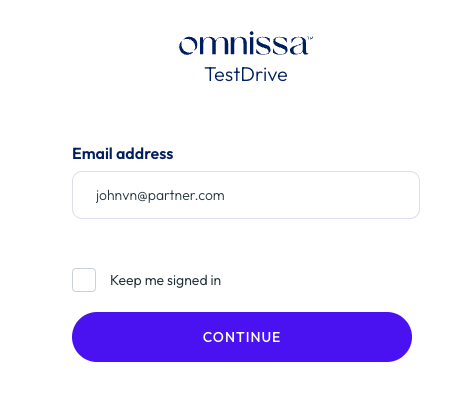
Omnissa Connect provides authentication. You will at least need an Omnissa Account. Alternatively, Omnissa Connect supports SSO sign-in if your organization's directory is federated.
Be sure you accept the TestDrive Terms of Use at the end of the registration flow, else your account will not activate.
All Omnissa Tech Insiders are eligible to register for TestDrive. Your Tech Insider email address will be validated during TestDrive registration.
Go here to begin TestDrive sign-up.
Enter your registered Tech Insider email address. Your Tech Insider membership will be automatically validated by TestDrive.
Proceed through the registration form.
Be sure you accept the TestDrive Terms of Use at the end of the registration flow, else your account will not activate.
All Omnissa employees are permitted to register for TestDrive.
TestDrive registration is a manual yet brief process for employees. Go here to register. Use your Omnissa employee email address.
Be sure to complete the registration flow using the email, authenticating in Omnissa Connect, and finalizing your account.
What's next?
Once you have a TestDrive account, review the articles in TestDrive Fundamentals.
Not receiving TestDrive email?
See TestDrive Email Delivery Requirements.
If you're certain your organization is not filtering TestDrive email, contact TestDrive support.
TestDrive Support
TestDrive support is availble at tdhelp.omnissa.com.